EVM Limit Orders
Buy and sell PT or YT at a set implied APY.
A limit order lets you offer to buy or sell Principal Tokens (PT) or Yield Tokens (YT) at your chosen implied APY. Other traders can fill all or part of it; an order may remain unfilled.
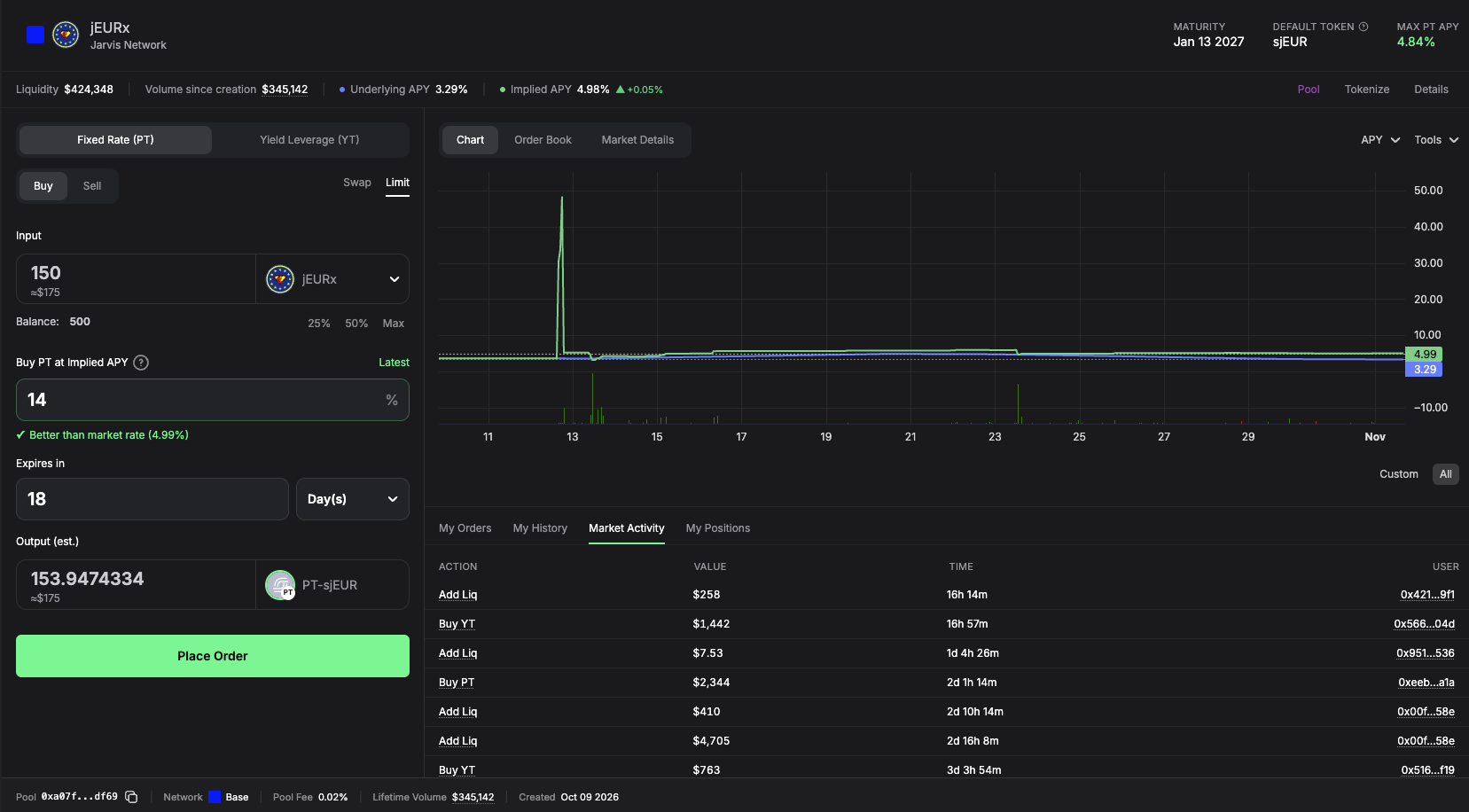
Place an order
- Connect your wallet, open a supported PT or YT market, and select Buy or Sell.
- Open Limit, choose the token and enter the Input amount. Your tokens stay in your wallet after placement. They are spent when the order fills.
- Enter your target Implied APY and choose Expires in. The default is 30 days, capped at maturity; choose a shorter duration if needed.
- Review Output (est.) and approve the token in your wallet if prompted. Approval costs gas and allows the offered tokens to be spent when a trade happens.
- Choose Place Order, sign in your wallet, then check My Orders. Signing a resting order costs no gas.
Spending tokens elsewhere, or filling another order backed by the same tokens, can leave too little to fill this order. Orders cannot fill after expiry.
If the button instead shows Fill … now or Fill … & place …, review immediate fills before confirming.
Follow and cancel
Open My Orders on the market page to see your PT and YT orders, their filled percentage, status and expiry. Active Orders shows open and partly filled orders; Past Orders shows orders that are no longer active.
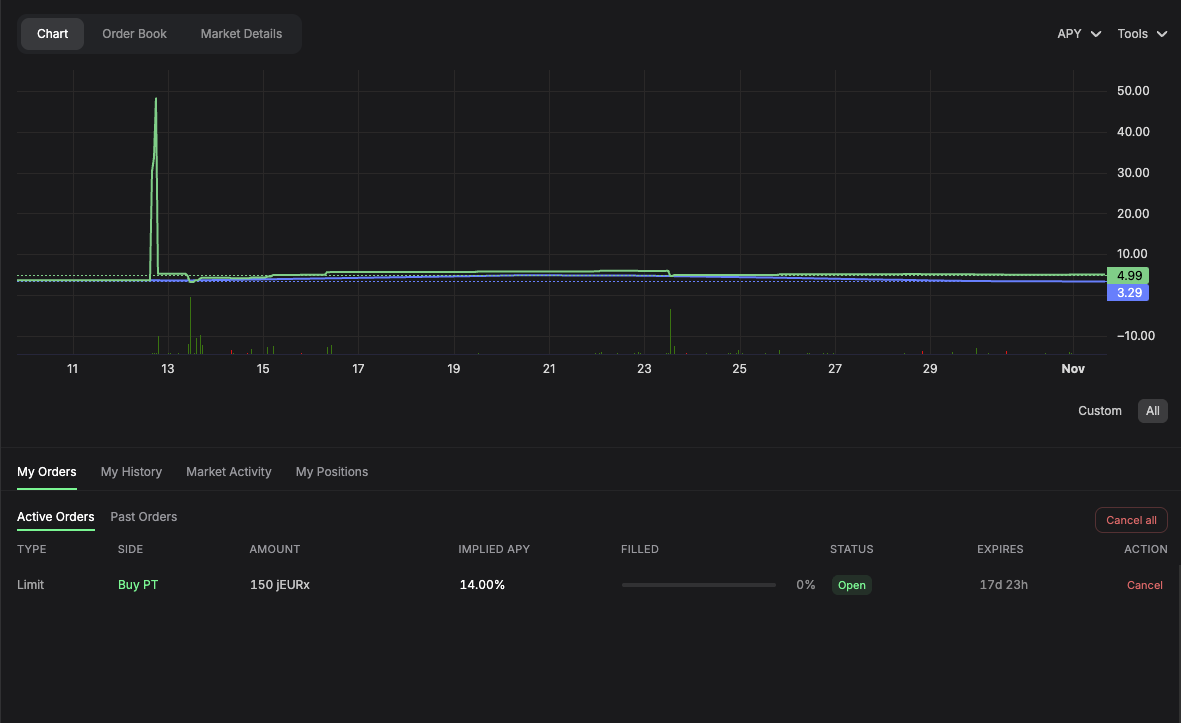
After a partial fill, the remaining amount stays open until it fills, expires or you cancel it. Choose Cancel on desktop or Cancel Order on mobile, confirm in your wallet and wait for confirmation.
Cancellation requires gas and cannot undo an earlier trade. A trade may complete before a pending cancellation is confirmed.
Cancel all cancels your open EVM limit orders across all markets on the selected network, including markets not shown on this page. Check your other orders before confirming.
An order you cancelled can currently appear as Filled in My Orders. Check your cancellation transaction to confirm the outcome; the label alone does not mean a trade happened.
Choose your rate
Your chosen implied APY stays fixed. Output (est.) can change with the time left until maturity and the value of the tokens being exchanged.
| Order | A more favorable price corresponds to |
|---|---|
| Buy PT | Higher implied APY: less paid per PT. |
| Sell PT | Lower implied APY: more received per PT. |
| Buy YT | Lower implied APY: less paid per YT. |
| Sell YT | Higher implied APY: more received per YT. |
Latest copies the displayed market APY. It does not guarantee that the rate remains available when you trade.
For PT, the displayed APY assumes you hold until maturity and remain exposed to the yield source's risks. For YT, it helps set the trade price; it does not promise a return on your purchase.
Fees
The trader filling an order pays a fee on the implied yield, currently 2%. The fee is included in the quoted trade price.
When part can fill immediately
If trades are already available at your rate or better, the preview separates Fills now from Rests at your limit. Review the displayed amounts, trading fees and gas.
| Button or message | What to do |
|---|---|
| Fill … now | Confirm the immediate trade in your wallet. |
| Fill … & place … | Confirm the trade, then sign to place the remaining amount at your limit. |
| Fill on the Swap tab instead | Switch to Swap to review the immediate trade. |
For Fill … & place …, the trade completes before you sign the remaining order. If you reject that signature or placement fails, the completed trade stays completed. Check My Orders before trying again.
If the app warns that you would trade against your own orders, cancel those orders or choose another rate. Check any extra confirmation if your remaining order would offer a worse rate than the current market.
Common questions
What does Min. received mean?
For Swap, Output is an estimate. Min. received is the minimum you accept after allowing for price changes. If the trade cannot meet it, the trade fails instead of giving you less.
What happens if a trade fails?
A failed trade does not move the tokens in that trade, but it can still cost gas. An earlier approval or completed trade remains effective. Refresh the preview and check My Orders before retrying.
How is this different from an OTC offer?
Limit orders can fill partly through the market's order book. For direct counterparty offers and requests for a quote, see OTC trading and RFQ.