Fixed Rates
Buy Principal Tokens and review the fixed maturity yield of your quote.
Open Fixed Rates (PT), choose a market, then select Buy. The market header shows maturity and Max PT APY. That indicative market rate can differ from the quote for your chosen amount because execution includes liquidity, price impact and fees.
Select an input token, enter an amount and review:
- Output: the estimated PT received.
- Fixed Maturity Yield: the estimated maturity proceeds minus input value, denominated in the underlying token. Its USD equivalent varies with the token's price.
- Fixed APR / APY: the annualized quoted return. APY assumes compounding through future reallocation; the app does not automatically roll over matured PT.
- Slippage Tolerance and Min. received: the permitted output tolerance and the smallest PT amount accepted by the transaction.
- Pool Fee and Price Impact in Details: costs already reflected in the quote.
The token's redemption rate determines the underlying amount at maturity. A loss in the underlying layer can reduce that rate; an IBT or wrapper output uses its own conversion. Read the risk documentation.
A zero or negative quoted fixed yield blocks Buy PT and explains why. Negative fee-inclusive fixed APY can occur even when spot implied APY is positive. The above par explanation applies when spot implied APY is negative. Try a smaller amount or inspect another market; compare the refreshed quote rather than relying only on the headline APY.
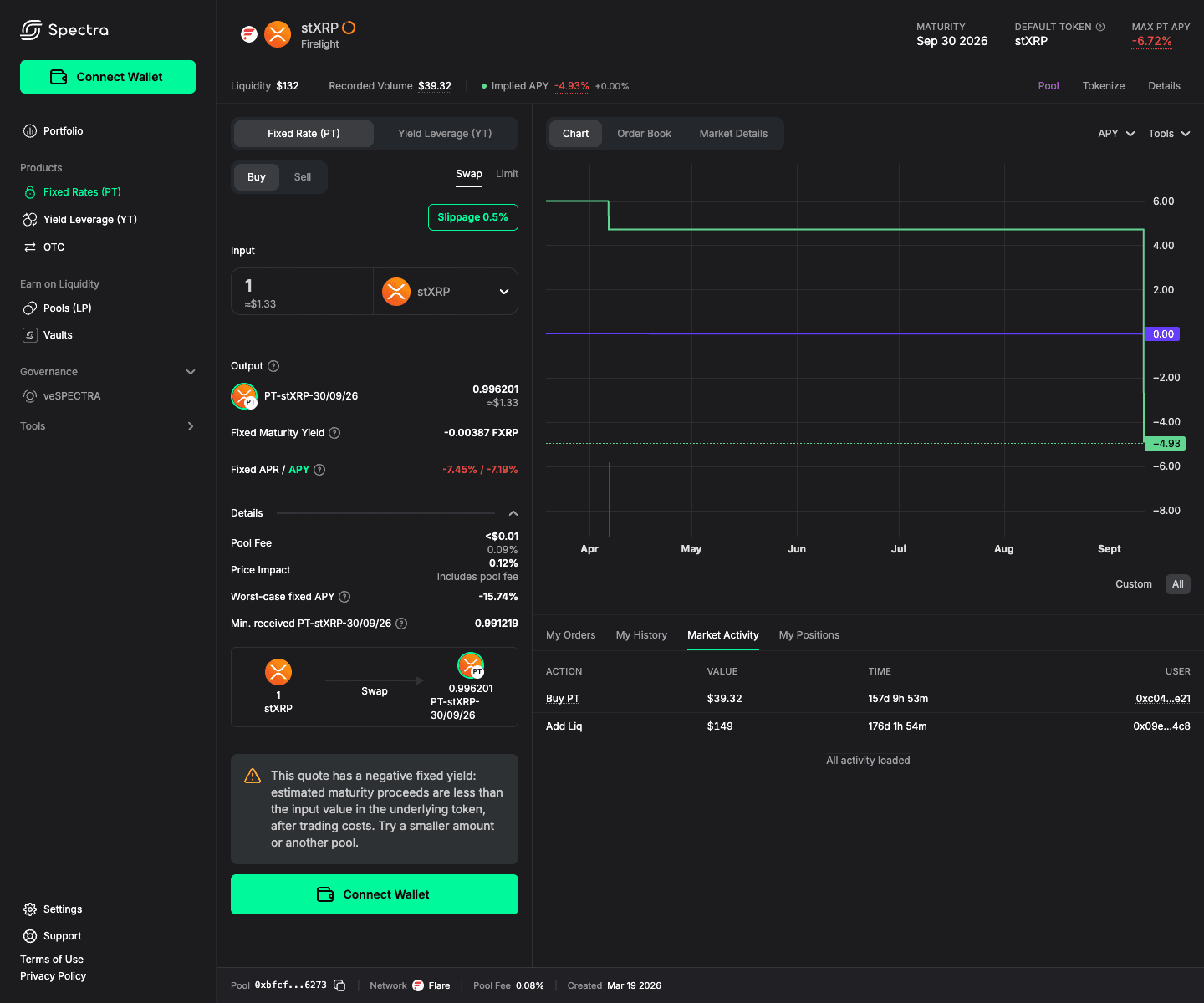
Example quote captured during a local app check. Amounts and rates change with the market.
Approve the input token if required, then confirm Buy PT in the wallet. Track the transaction through confirmation. At maturity, redeem your PT from Portfolio. Before maturity, Sell PT or Burn PT+YT may be available.