Lock, Vote and Delegate
Lock SPECTRA as veSPECTRA, vote on proposals and delegate your voting power in the Spectra app.
Governance happens on the app's Governance page: open the menu at the right of the top bar and choose Governance. Locks and delegation are on Base; switch your wallet to Base when prompted.
Lock SPECTRA
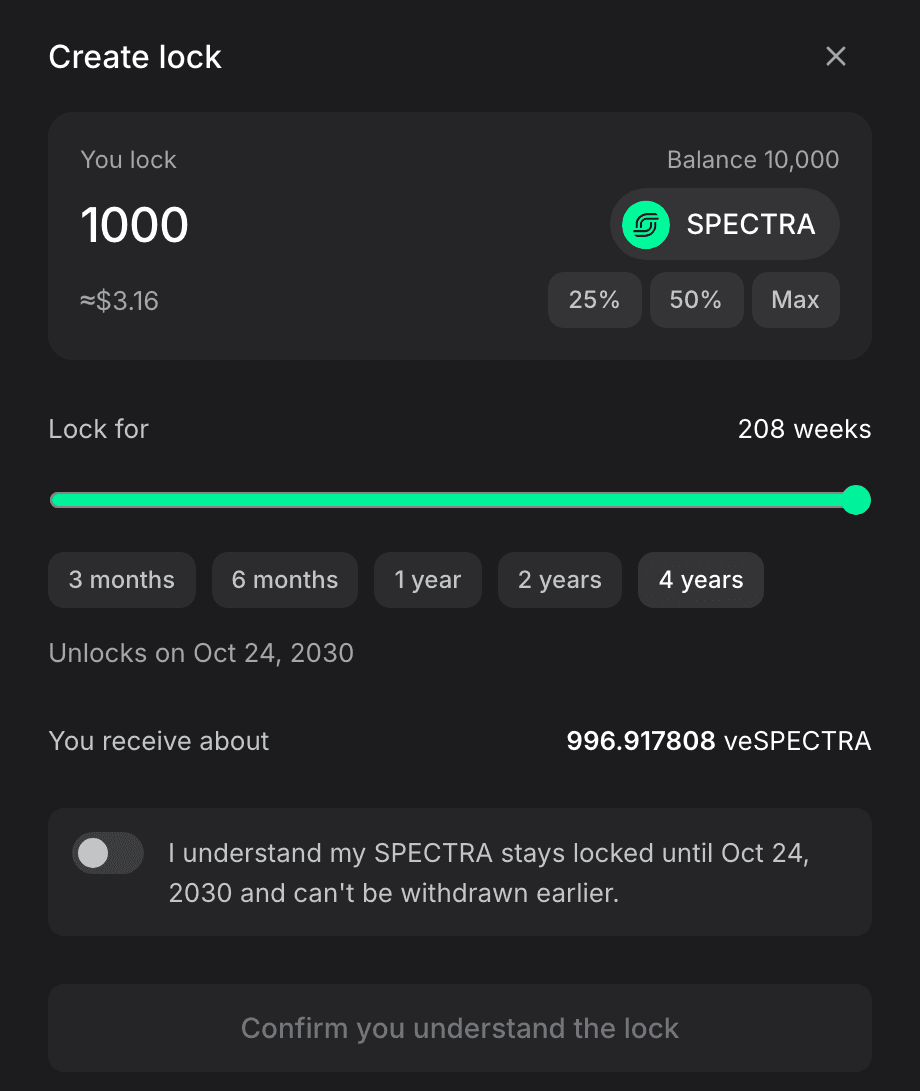
- Open Governance → Locks and select Create lock.
- Enter the amount under You lock.
- Under Lock for, choose 3 months, 6 months, 1 year, 2 years or 4 years, or set the duration with the slider. Locks last from 1 to 208 weeks; Unlocks on shows the end date.
- Check You receive about for the veSPECTRA voting power you get.
- Turn on the acknowledgement that your SPECTRA stays locked until the end date and cannot be withdrawn earlier. Until you do, the button reads Confirm you understand the lock.
- Select Review lock, then Create lock, and confirm the SPECTRA approval (if needed) and the lock in your wallet.
- Wait for Lock created.
Voting power falls every week until the unlock date. Each lock in Locks has Increase to add SPECTRA and Extend to push its end date, which raises the voting power again. After the end date, Unlock returns your SPECTRA.
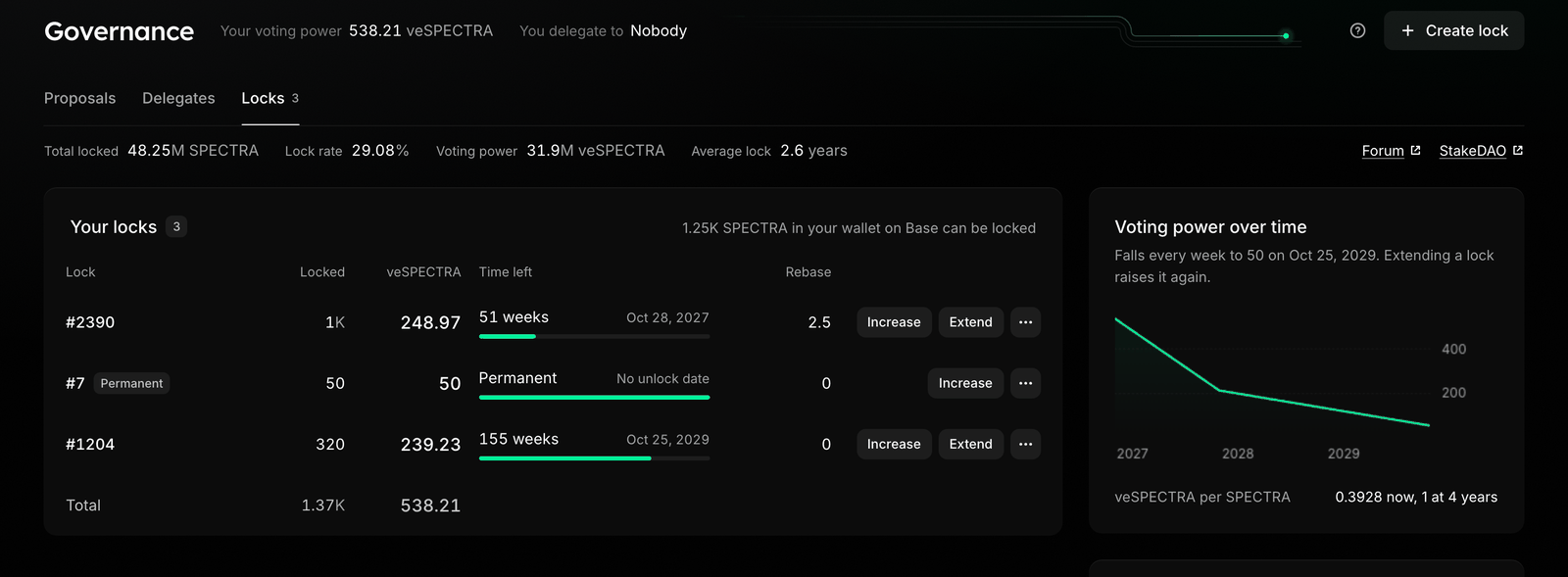
Illustration with a sample account; your positions will differ.
You can hold several locks. See veSPECTRA for how locks and voting power work.
Vote on a proposal
- Open Governance → Proposals. Active lists proposals open for voting.
- Open a proposal and read it.
- Under Cast your vote, choose an option. A Reason (optional, public) can be added.
- Select Vote and sign the message in your wallet. Voting costs no gas.
Your vote is final: the choice and reason cannot be changed afterwards. Older proposals marked From Snapshot were voted on Snapshot.
Delegate your voting power
- Open Governance → Delegates. Select Delegate on a delegate's row, or enter an address or ENS name under Delegate to in Your delegation.
- Select Review delegation, then Delegate, and confirm the transaction on Base.
- Wait for Voting power delegated.
To take your voting power back, use Remove delegation.
Claim past voting rewards
Voting rewards and fees from past epochs, before gauge voting was paused, can still be claimed. In Locks, open To claim → Past voting rewards and select Claim. In the Voting rewards panel, choose Claim incentives or Claim fees. Portfolio's Needs attention shows a card when such rewards are waiting.